

System Finder
Your tool for efficient Knauf Systems search and specifying
- Intuitive systems search aligning with project requirements
- Up-to-date supporting data
- Generate project specifications for tenders
Enhance your systems search efficiency
Experience the efficiency of System Finder for seamless and intuitive exploration of Knauf systems. By responding to a few prompts, you'll witness how the search feature delivers a customised array of compatible systems. Providing detailed specifications and performance details, this tool arms you with all essential details to promptly evaluate your project requirements. In addition to cross border system selections, the search functionality also considers local availability, ensuring you receive recommendations tailored to your construction site – a valuable asset based on your project's location. You can export your discoveries to PDF or Excel formats for smooth integration into your workflow. It also enables team cooperation by sharing systems via email and engaging with expert contractors and dealers for additional valuable insights.
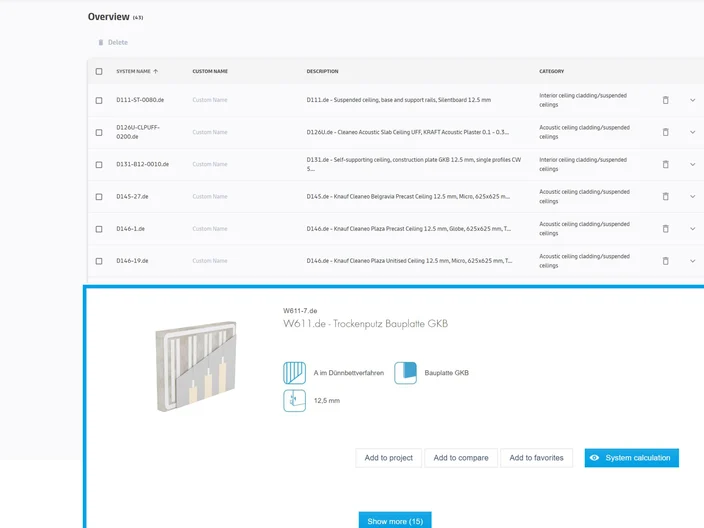
Centralise your favourite systems in one location
With System Finder, your chosen systems are effortlessly stored in a central location for convenient access anytime. Top benefits of the favourites feature at a glance:
- Minimises manual tasks, freeing up time for more value-adding activities.
- Effortlessly compare systems to identify the most suitable for your projects and save for adding to future projects.
- Ensures continuous updates of technical system data for quality control and compliance with regulations.
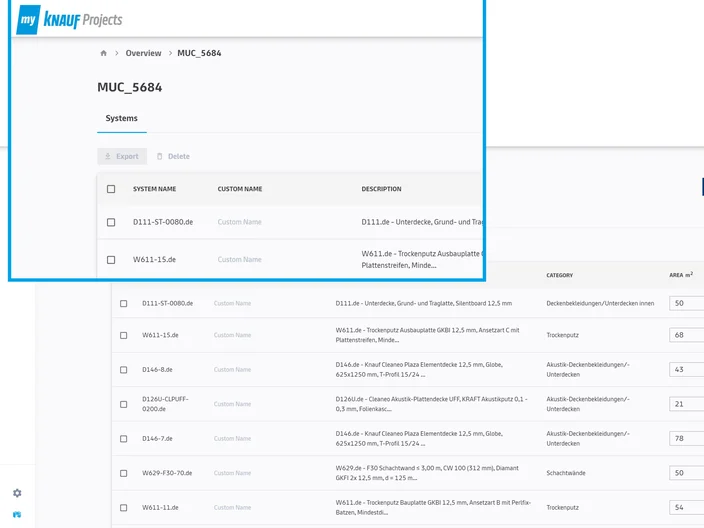
Centralise your favourite systems in one location
Access a holistic view of all ongoing and past projects in one convenient platform with our Projects feature. Key benefits of the tool include:
- Enhancing the planning process through generating project based specifications to your local standards.
- Improve accuracy to avoid errors and miscalculations.
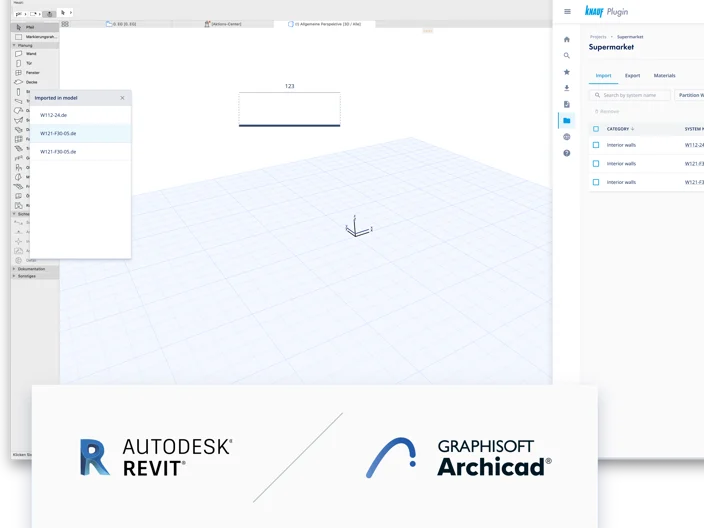
Your ultimate productivity tool for BIM processes
Our BIM plugin tool enables you to effortlessly discover, import and specify current Knauf systems within Revit or ArchiCAD. Its standout features:
- Integrated specification and schedule function with automatic quantity calculations in preferred formats.
- Data validation function to maintain system accuracy.
- Selectable parameters to support designers at every stage.
Join myKnauf
One platform to access our exclusive digital solutions.
Improve operational efficiency, foster seamless collaboration and access exclusive tools and documents all within one free to use digital portal.
myKnauf Frequently Asked Questions
No, System Finder and all its functions are free, however some of the functions do require a myKnauf account.
No, you do not need an account to access System Finder, however a myKnauf account will unlock a range of value added features designed to go hand in hand with System Finder to make your daily work more efficient. Through these features, you can manage the maintenance of your BIM models – either via a BIM plugin or web applications. One of the benefits of downloading the plugin includes integrated data checks and the option to update data with one click. Project lists can be automatically created and you have the ability to save your preferred systems so that they are easily accessible for future use.
Yes, System Finder takes the country into account and only shows systems available in the selected country within the system search. When accessed through myKnauf, users enjoy greater flexibility, allowing you to easily switch between different countries and languages according to your preferences. In addition, different formats for automated offer texts / invitations to tender are offered depending on the country.
Yes, this is possible, both within system finder and the BIM plug-in. Once you have completed a system search, you have access to the complete technical documentation within the results. Within the plug-in, the technical documentation is available automatically in the BIM objects.